Sales professionals are facing a new generation of buyers who expect fast, accurate, and hyper-personalized responses—whether they’re in the early discovery phase or ready to close. To keep pace, Salesforce has introduced AI-powered agents within Agentforce to streamline and elevate sales performance. There are two core Agentforce solutions designed specifically for the sales journey: Agentforce SDR and Agentforce Sales Coach.
While Agentforce SDR focuses on inbound lead handling and prospecting tasks (like summarizing web-to-lead form submissions, identifying buying intent, or suggesting next steps), Agentforce Sales Coach is built to assist sales representatives through more strategic, mid-to-late stage activities—helping them prepare for meetings, improve deal hygiene, and close more effectively.
In this article, we’ll take a deep dive into Agentforce Sales Coach, exploring its capabilities, setup requirements, ideal users, and the value it brings to sales organizations.
What is Agentforce Sales Coach?
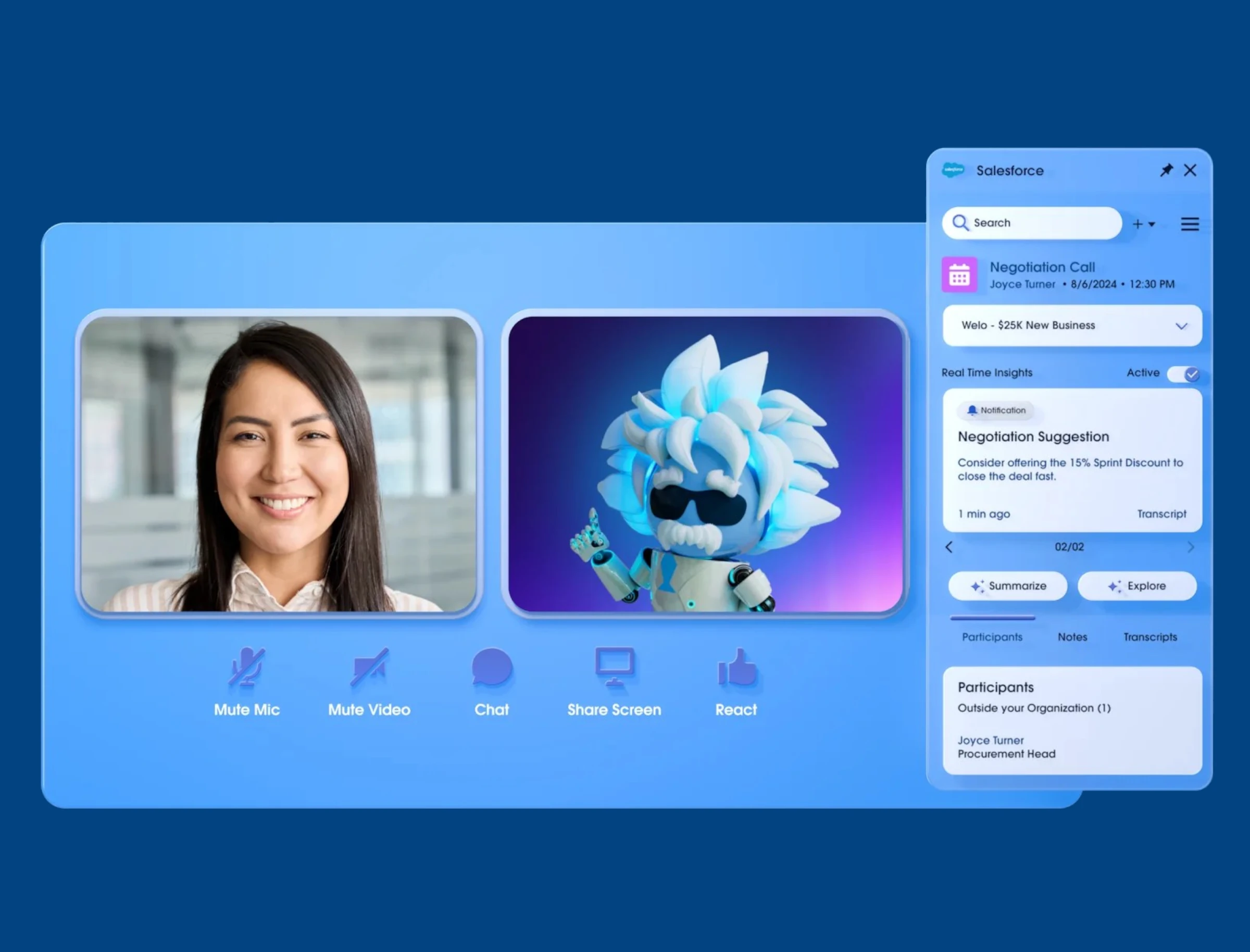
Agentforce Sales Coach is a Generative AI-powered assistant embedded directly into Salesforce, designed to help account executives and sellers accelerate deals, stay organized, and act more strategically. It lives natively within the Sales Cloud and provides contextual, real-time coaching based on CRM data and AI-generated insights.
Unlike SDR Agents that focus on volume and qualification, Sales Coach agents focus on quality and conversion, acting like a personal deal strategist that understands each opportunity, reviews pipeline health, and recommends smart actions.
Setting Up Agentforce Sales Coach
Setting up Agentforce Sales Coach involves a few key steps to ensure the agent is contextually aware and aligned with your sales process. Here’s a simplified overview:
1. Enable and Configure Agentforce
- Admins must enable Einstein in Einstein Setup from Setup in Salesforce.
- Next, enable Agentforce Agents from Setup.
- Next follow the steps to enable Einstein for Sales:
- In setup, search for Einstein for Sales.
- After this, turn on Sales Email.
- Turn on Add Email Prompt Instructions.
- Optionally set up email integrations.
- Enable Einstein Coach. This is a required step.
- Assign permissions for Einstein Coach Users. This is a required step.
- Set up Einstein Conversion Insights. This is a required step.
- Search Agentforce Sales Coach in Setup. Then:
- Enable Agentforce Sales Coach and then finish all the setup using the step-by-step help on this screen. This includes:
- Setting up user access (permission assignment)
- There are two permissions here:
- These are the users of the sales coach
- For managing a sales coach
- The great thing here is that you don’t have to leave this setup screen and go to permission set screen to assign permission set which increases the admin usability of the system.
- There are two permissions here:
- Adding components Components, Fields, and Actions to Lightning Record Page
2. Create and Configure the Sales Coach Agent
- Use the Agent Builder tool to define the Sales Coach Agent You can give it a name, define the tone (e.g., formal, assertive, motivational), and establish its capabilities. Topics available are:
- Negotiation/Review Role Play
- Opportunity Closing
- Proposal Quote Role-Play
- Pro-tip: spend time reading all the topics, their instructions and the topic’s action. If you need to change anything for your use case, make sure to create a new version of the topic.
- Common agent actions include:
- Reviewing pipeline and identifying stale opportunities.
- Suggesting next steps for high-value deals.
- Recommending relevant sales collateral or customer stories.
- Providing talk tracks based on industry or persona.
- Guiding sales reps to improve CRM hygiene (e.g., close dates, stage updates, contacts).
3. Integrate with Sales Processes
- You can tie the agent to Sales Engagement Cadences, Opportunity Workspace, and Salesforce Inbox.
- The Sales Coach can surface directly in the Sales Console, offering suggestions in real-time as users work through their deals.
4. Define Data Access
- The Sales Coach uses Dynamic Fields and Data Cloud (optional but recommended) to personalize recommendations. Ensure your opportunity, account, and contact data is clean and accessible.
Who is the Agentforce Sales Coach For
Agentforce Sales Coach is built for roles involved in mid-to-late stage selling. This includes:- Account Executives: Who manage opportunities and need real-time guidance to prioritize the right deals and close faster.
- Sales Managers: Who want visibility into deal risks, coaching recommendations, and how reps are engaging with prospects.
- Sales Enablement Teams: Who aim to scale coaching without having to manually review every deal.
- RevOps Teams: Who want to ensure data quality, improve forecast accuracy, and drive consistent sales behavior.
Key Benefits of Using Agentforce Sales Coach
Personalized Deal Coaching at Scale
Sales Coach reviews each opportunity and provides AI-generated recommendations specific to that deal. It’s like having a virtual deal desk for every rep.
Pipeline Hygiene and Data Completeness
The coach can detect outdated stages, missing decision-makers, or poorly qualified deals and recommend corrective actions—reducing surprises during forecast reviews.
Time-Saving and Focus
Instead of combing through records, reps can ask the Sales Coach questions like:
“Which deals should I prioritize this week?” or
“What’s the best talk track for a CIO in the financial industry?”
The agent answers instantly, saving hours of prep work.
Faster Ramp Time for New Reps
By embedding tribal knowledge and enablement content into AI, Sales Coach helps new reps get up to speed faster with relevant scripts, common objections, and tips tailored to their deals.
Improved Forecast Accuracy
When deals are actively reviewed and updated with AI nudges, sales leaders get a more accurate view of what’s real—and what’s wishful thinking.
Conclusion
In today’s fast-paced selling environment, AI isn’t just a nice-to-have—it’s a competitive necessity. Agentforce Sales Coach helps teams close smarter, faster, and with more consistency. Whether you’re managing a high-velocity sales org or complex enterprise deals, this intelligent agent can help transform the way your team sells.
Frontline 1st is ready to help your organization implement Agentforce Sales Coach and unlock the power of AI for your sellers. From setup to enablement and beyond, our team ensures your Sales Coach is fully tailored to your GTM motion.
Ready to empower your reps with AI-powered coaching? Let’s talk. Contact Frontline 1st today.


